
| Home | Author |
Logikal Solutions |
Guest Book | Infinite Exposure |
Blog |
| Table of Contents | Excerpt |
Interview |
 |
The Minimum You
Need to Know
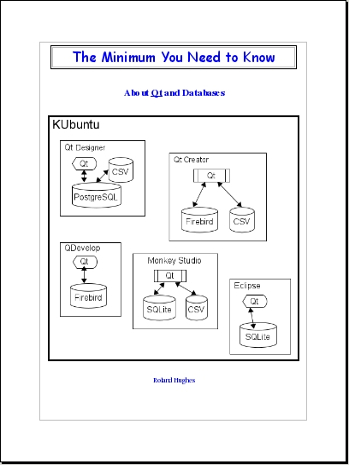
About Qt and Databases Coming Soon! Pages: 474pp ISBN-13: 978-0-9823580-5-4 paperback ISBN-13: 978-0-9823580-4-7 ebook Format: PDF, 7 in. x 9 in. Retail price: $45 Available at: |
In today's world, cross platform has a slightly different definition. It used to just mean different operating systems on the desktop, but now it extends to hand held devices like netbooks, PDAs (Personal Digital Assistant), and cellular phones. In truth, the distinction between cellular phone, PDA, and netbook is becoming blurred by the continual addition of features to cell phones and the emergence of the iPad. Companies are making wide use of VPNs (Virtual Private Networks) on hand held devices so personnel in the field can run applications which access databases secured behind the corporate firewall. They have a need to maintain one application yet have it run on every desktop, netbook, and PDA deployed by the company. Let us not forget you now have to deal with virtual keyboards on mice on most hand hld devices.
I'm no stranger to cross platform development. I was there when the first major plunge happened. Some of you might be old enough to remember the “Zinc It!” book series. It covered the Zinc Application Framework on DOS, OS/2, Windows, and to some extent MAC. The reason I know about that series is I was the author. Zinc Software was a poorly managed company. The product was purchased by Wind River Systems and rolled into various products they offer. Recently, perhaps because of this trend, I have found Zinc is once again being sold as a product by a company. I haven't dug too deeply into it, but they claim to support desktop and embedded platforms. There is also talk of an OpenSource version as well.
Let's be honest. While some commercial product vendors will use the cross platform capabilities of the library, many in house developers will simply use the library on a single platform with an eye toward being able to migrate quickly if whims change. A lot of companies which had been staunchly (and stupidly) in the Windows desktop category are now starting to use Qt for Windows development. They are in the process of migrating everything to Qt so they can deploy Ubuntu, OpenSuSE, or some other Linux distribution on the desktop as soon as the bean counters realize just how much it costs to keep Microsoft around. Microsoft has been a victim of its own marketing now. When you actually total up all of the costs, it ends up being the most expensive platform per user of any computing platform, including IBM mainframes and OpenVMS midrange systems. A lot of companies have learned that the OpenVMS box which is still housing their data and some core applications is/was the cheapest per user solution they had even if they didn't like green screen applications.
1.5 Why Ubuntu?
If you have already read “The Minimum You Need to Know About Service Oriented Architecture”, then you aren't asking the above question. For those of you who skipped that book in the series, Ubuntu is quickly becoming the desktop Linux distribution of choice for most IT professionals and even quite a few corporations. Dell has even started pre-loading Ubuntu on machines for corporate customers. Yes, Lenovo is pre-loading OpenSuSE, but most other vendors are embracing Ubuntu. OpenSuSE has been tainted by a business deal between Novell and Microsoft which infuriated most of the various Unix/Linux factions and spawned a re-write of the GPL (GNU Public License) which put Novel in a world of hurt.
We won't get too deep into arguments about which is technically better. I have used both in the past. I used to actually pay for the professional edition of SuSE before it got the silent “Open” added to the front of it. All code in this book will be written and tested on version 10.10 AMD 64-bit KUbuntu. You should be able to adapt things for your own environment. I can warn you that many versions of OpenSuSE made it nearly impossible to get PostgreSQL running. It would eventually run, but you had to scour the Internet looking for hints, snippets, and advice. Ubuntu made it an easy install and nearly automatic configuration. If you are a developer that doesn't want to be a Sys Admin and you don't like hacking kernel startup scripts, Ubuntu is the simpler choice.
Developers who want lots of development tools included with the initial installation tend to prefer using OpenSuSE. Corporations and their support staff tend to prefer Ubuntu. In either case, you don't notice a lot of difference unless you are willing to open up a terminal window and start keying in commands, or you need to install something different. Ubuntu uses the Synaptic Package Manager for installations while OpenSuSE uses YAST (Yet Another Setup Tool) for everything, including adding users, changing the system time, etc. You can load KDE or Gnome front ends under either distribution.
Corporations are preferring Ubuntu desktop distributions because the default desktop interface is based on Gnome. This is a clean, minimalist interface. Users who don't understand the inner workings of Linux will find themselves somewhat limited to surfing the Web, creating documents, checking email, and whatever application links were pre-loaded by the corporation. To get both the KDE and Gnome session interfaces, you need to navigate your way to the package manager after installation and install the KDE interface (KUBUNTU). KDE is a much more functional interface than Gnome. I will admit there are certain specific things which are much easier in Gnome than KDE, but most common things are far easier in KDE than Gnome. If you have both interfaces installed, you can simply log out and log back in changing your session to which ever interface is easier for what you need to do.
If you install both interfaces on Ubuntu though be prepared for a lot of things to either not work or work spastically. The Ubuntu crowd tests only one installed interface with each release. I have tried many times to make both KUbuntu and Ubuntu play nice together, and finally gave up. Every time you try to log a support issue you get told to wipe everything and install just Ubuntu.
Corporations are more than happy to stick their users with the Gnome interface because they want to restrict what people do on their desktop. How many billions have been lost to people installing stuff on their Windows desktop only to find out it had a virus or some other nasty security hole? A restricted interface keeps users from poking around and installing stuff. The user account can also be set up to not allow installations.
The other major selling point for Ubuntu is stability. Yes, many flavors of Linux and other PC based operating systems claim stability, but when you ask them how they achieve it, you get a lot of buzzwords along with a song and dance. Ubuntu is generally a year behind the bleeding edge found in the source trunks. While they will pull in some patches and fixes which are newer, they are generally at least six months behind the last stable release of any package which tends to be four to six months behind the bleeding edge of the development trunk. The core developers for Ubuntu will tell you they release every six months so they are only six months behind. This is true only if you are measuring from the last “stable” release each package developer turned out.
OpenSuSE releases once every eight months. They don't put out an LTS release, but they don't have a spastic numbering system like Ubuntu. OpenSuSE 11 has a roadmap spanning several years and multiple .x releases. Ubuntu releases during the fourth and tenth month of every year. Their versions are number YEAR.MONTH.
In short, we are using Ubuntu because it plays the game the best and doesn't have a taint from the Microsoft-Novell deal and doesn't have YAST. That said, Ubuntu has about a five year window to fix what is wrong with it before it disappears from the market place like Corel Linux. For more information on that see “Ubuntu's Original Sin” in the Ruminations chapter.
1.6 Why Qt?
To start with, there is an OpenSource version which is regularly updated. It is the GUI library used for all KDE project development. Linux is gaining a lot of popularity and KDE is the major desktop. While Gnome gained a lot of corporate support because it is a bare interface which doesn't let the experimental end user get into too much trouble, for most developers and seasoned computer users, Gnome is much like rubbing sticks together to make fire.
While it can be correctly stated that OpenSource projects let in far too many junior programmers with buggy code, that statement would be incorrect when it comes to the Qt library. There are commercial developers sifting the wheat from the chaff. This is not to say the library doesn't have bugs. What I'm saying is that there are literally thousands of developers working on various portions of KDE (and now the new Ubuntu Gnome like interface based on Qt instead of Gtk+.) These developers report bugs as they find them and in many cases send along source changes to be incorporated into the main product trunk. Few commercial products can afford thousands of professional developers. By going OpenSource with much of the library, Trolltech (now part of Nokia) has affectively added thousands of developers to their staff at little to no cost. The cross platform libraries from days of old didn't go this route. They tried to get by with a limited number of in-house developers funded by astronomical license fees.
Let us not forget that Nokia has standardized on Qt (basically by purchasing the product) and there is a lot of development going on for hand held applications in that company. More and more embedded systems developers are choosing to use Qt on their embedded project as a result of this. Ubuntu even announced that the main development library for its Gnome like front end will now be Qt as well. While there are many Gtk+ die hards out there, the writing is on the wall. Qt managed to achieve a consensus of what should be provided on all platforms an the “benefits” of proprietary toolkits no longer exceed the “costs” of using them.
There is a lot of on-line documentation on Qt. Trolltech and Nokia have gone to great lengths to make all of Qt's documentation available on-line. Many other sites also host copies of it in case the primary site goes down. In addition, the documentation is included in the free QtAssistant document browser which is installed with most development packages. Much of the documentation is “expert friendly.” It works well if you are already a seasoned veteran and just need to look something up. It doesn't work well from the learning aspect.
I needed to develop the xpnsqt application to replace something I had written in Lotus Approach many years ago. I kept waiting and waiting for Lotus/IBM to have a divine visitation and port the Lotus SmartSuite to Linux. I guess all of the major deities have been busy for the past decade. Now that OpenOffice has made great strides the word processor and spreadsheet market simply wouldn't be profitable. Approach was one of those tools nobody used much. It did things well so you simply didn't remember what tool you used for development. The xpnsqt application took me 45 minutes to develop with Lotus Approach well over a decade ago without ever having used Approach before. The replacement weighed in around four days. Two and a half of those days were spent trying to use a new Qt database class one of the books was gaga about. That class simply wasn't ready to run with the big dogs.
You have quite a few database choices when developing with Qt. The database classes are actually wrapper classes for various database plug-ins. Many of the plug-ins can be compiled into the library so they are statically linked with your application. Static linking provides an immense amount of data and application security over plug-in use. For more on that topic see “Plug-in vs. Static Compile” in the Ruminations chapter.